Coding agents and a Chinese font optimization
Today I am working on Ame’s blog again.
(Total fuel consumed: several cans of white Monster and six shots of coffee.)
Coding agents
Using Gemini CLI
First, I needed a good LLM coding agent. I vaguely remembered Gemini CLI, so I downloaded it and gave it a try.
Signing in and configuration
After installing it with npx, enter gemini in the terminal to launch it. You need to sign in with a Google account or use the Google Cloud API.
Using it
Open it in your working directory and you are ready to go. It is straightforward enough that, even without coding, you could use it as a free chatbot: there is a free Gemini 2.5 quota.
It worked well at first, but then network errors appeared. Changing proxies did not help, so I switched applications.
Using Cline
Why not Claude Code?
Regional restrictions made it unusable, possibly because of my proxy.
(The same applies to Claude itself, which is why I have been using ChatGPT.)
I ultimately chose Cline, chiefly because it supports API access. API access means the discounted, gray-market rates of relay services—do not use them for company or sensitive work! The other costs are higher latency and less reliability.
I use MNAPI as the relay. Others would work too; there is no particular difference.
Installation and configuration
Install it directly from the VS Code extension marketplace—a Chinese-localized version is available—and enter your account details and API_KEY.
Note: Cline puts everything into context. Even a small request routinely consumes 80–120k of context, which puts some pressure on Claude’s context window.
Using it
The best thing about Cline is its separation into PLAN and ACT modes.
PLAN: Discuss what to do with the AI.
ACT: The AI only starts executing after you select this, so it does not run off and execute things indiscriminately.
Choosing a model
In my experience, models at Claude 3.5 level or above generally avoid major problems. Sometimes, though, even Gemini 2.5 misunderstands the request.
A Chinese font optimization
Why
I wanted to change the blog’s fonts, but Chinese fonts loaded too slowly.
First attempt
Search: Chinese font CDN.
The site I found:

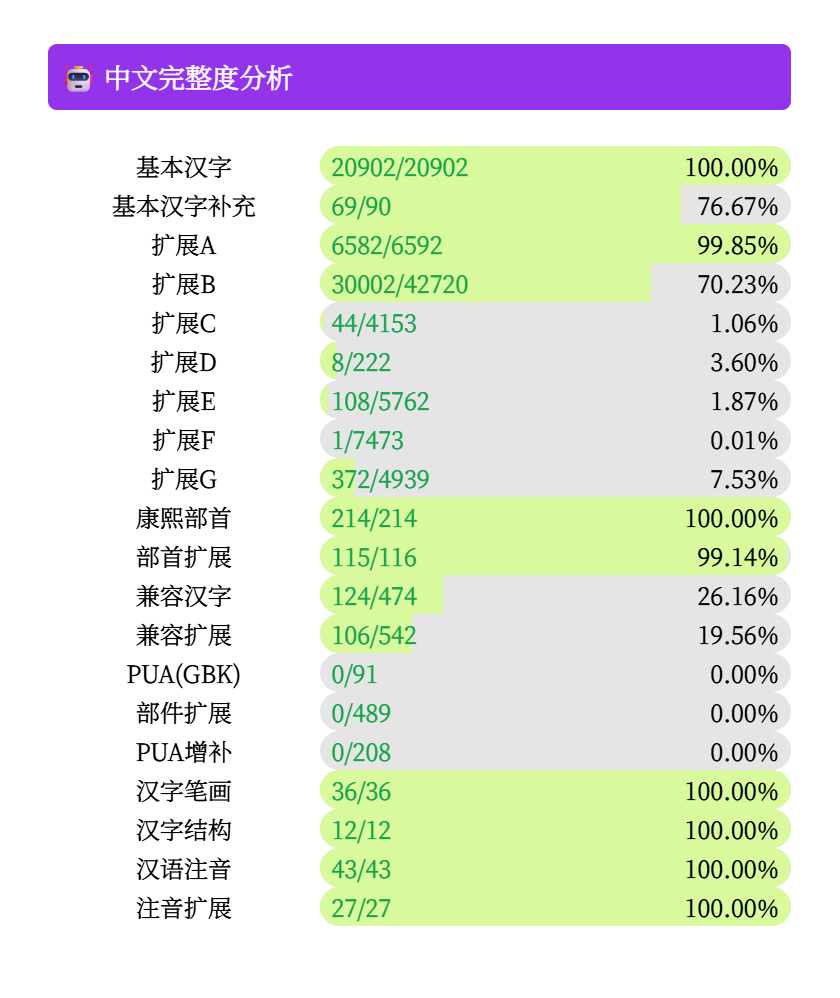
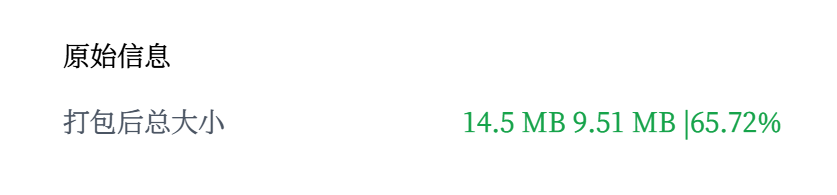
The compression of Source Han Serif is clearly substantial. Worth a try.
Unfortunately, the other weights of Source Han Serif are not available… Otherwise, it would be a perfect solution.
Which fonts do I need?
I need the following fonts from these CDNs:
- Chinese serif: Source Han Serif.
- Chinese sans serif: HarmonyOS Sans.
- A monospaced Latin font.
- An emoji font ( ).
Sans-serif test